


| Type | Description | Contributor | Date |
|---|---|---|---|
 | Post created | Pocketful Team | Jun-20-25 |
 | Content Update | Default Author | Jan-19-26 |
Read Next
- SEBI Action on Jane Street: Impact on Indian Markets
- What is Personal Finance?
- Military Wealth Management: Strategies for Growing and Preserving Your Assets
- India’s Republic Day 2025: Honoring the Nation’s Defense Achievements
- 10 Essential Financial Planning Tips for Military Members
- How Do You Apply for PAN 2.0 Online and Get It on Your Email ID?
- 10 Best YouTube Channels for Stock Market in India
- LTP in Stock Market: Meaning, Full Form, Strategy and Calculation
- 15 Best Stock Market Movies & Web Series to Watch
- Why Do We Pay Taxes to the Government?
- What is Profit After Tax & How to Calculate It?
- Budget 2024: Explainer On Changes In SIP Taxation
- Budget 2024: F&O Trading Gets More Expensive?
- Budget 2024-25: How Will New Tax Slabs Benefit The Middle Class?
- Semiconductor Industry in India
- What is National Company Law Tribunal?
- What is Capital Gains Tax in India?
- KYC Regulations Update: Comprehensive Guide
- National Pension System (NPS): Should You Invest?
- Sources of Revenue and Expenditures of the Government of India
Fake Payment Screenshot Scam: How to Identify and Avoid It
Written by : Pocketful Team
|Updated by : Pocketful Team
Published on : 20th June 2025
|Updated on : 19th January 2026



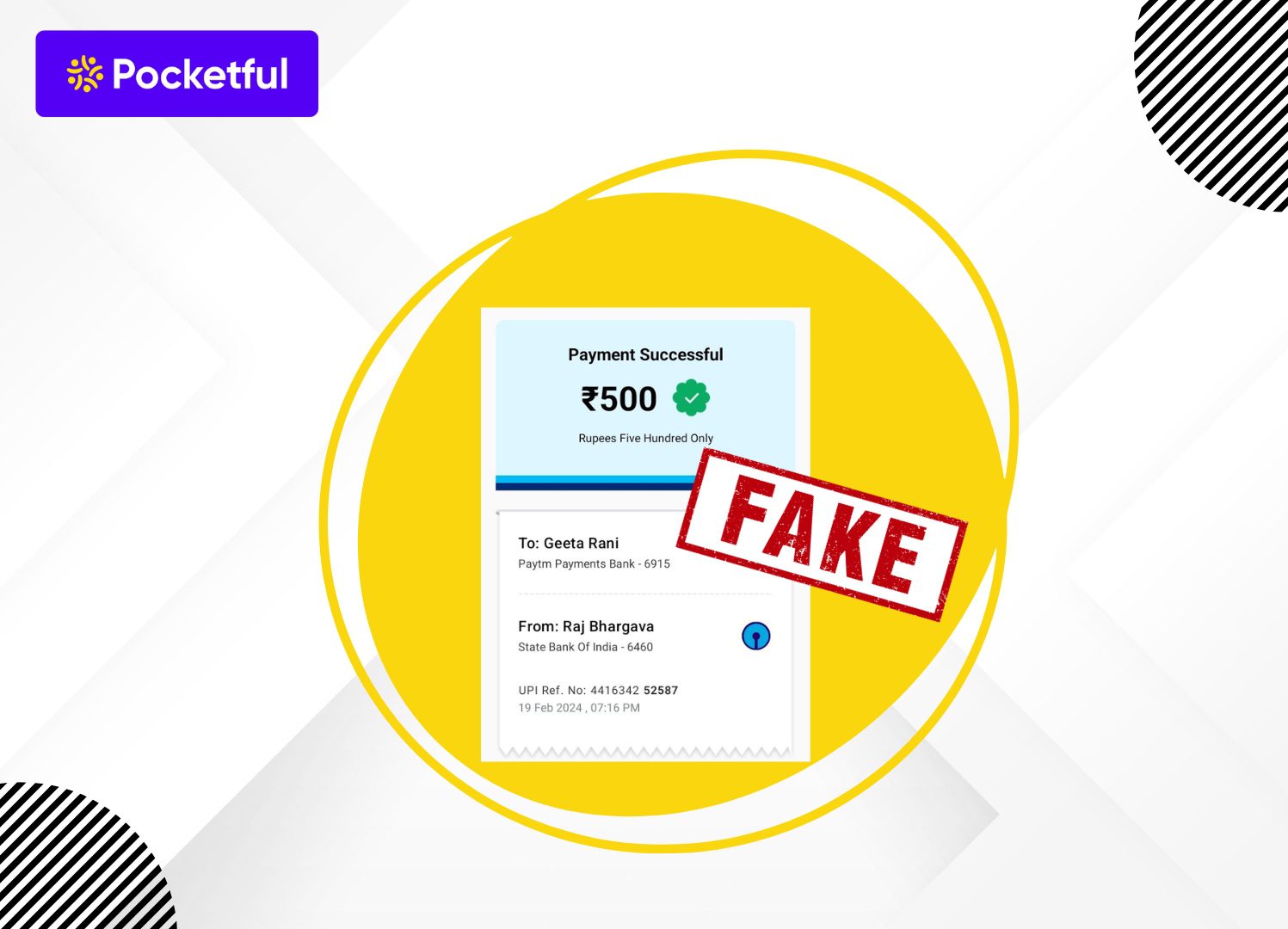
In today’s world, everyone is in a hurry and digital payment mode plays an important role in it by helping you save time. However, with the rise of online payment modes, the number of frauds has also increased, which has caused various individuals to suffer losses.
In this blog, we will explain one such online payment fraud, which is known as “Fake Payment Screenshot”, and will also explain to you how to avoid such a fake screenshot.
What is a Fake Payment Screenshot?
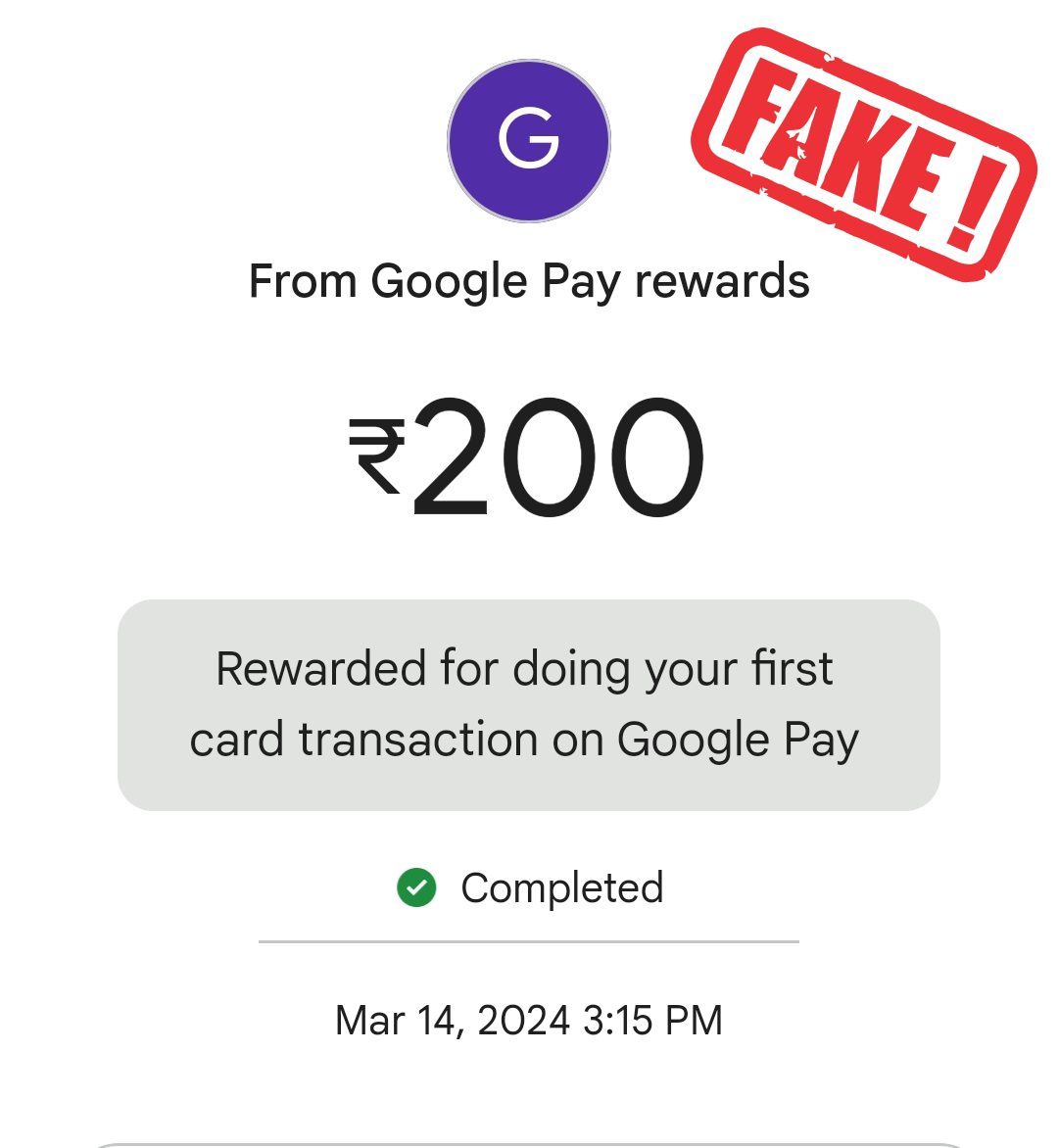
A fake payment screenshot is an image designed by fraudsters to show that a financial transaction has been completed successfully. However, in reality, no money is transferred or paid. The fraudsters make an individual or business believe that the payment has been made successfully, which eventually leads to a financial loss for the investor. Nowadays, one can easily create such images using online tools.
Characteristics of a Fake Payment Screenshot
The key characteristics of a fake payment screenshot are as follows:
- Fake Information: In a fake payment screenshot, the details like transaction ID, amount, date, and time, etc are not authentic.
- No Real Time Confirmation: There is no real-time confirmation, i.e. the receiver does not receive any real-time confirmation from the bank account.
- No Track Record: The receiver has no track record of receiving any payments, as there is no such transaction.
How Fake Payment Screenshots Are Created and Misused
- This scam usually plays out very smoothly. A person selects the item or service and casually says they’ll pay via UPI. Everything feels normal.
- Instead of actually sending money, they quickly generate a fake payment confirmation using an editing tool or a spoof app. Within seconds, they show you a convincing “payment successful” screen.
- They don’t stop there. The scammer often rushes the moment—asking you to hand over the product, saying they’re in a hurry, or assuring you the money will reflect shortly.
- Trusting what you see on their phone, you complete the transaction. Only later, when you open your own bank or UPI app, do you realize the truth: no payment ever came through.
How to Detect a Fake UPI Payment in Seconds?
Many people fall for fake UPI payments because they trust what they see on the sender’s phone. But if you take just a few seconds to check properly, you can avoid losing money.
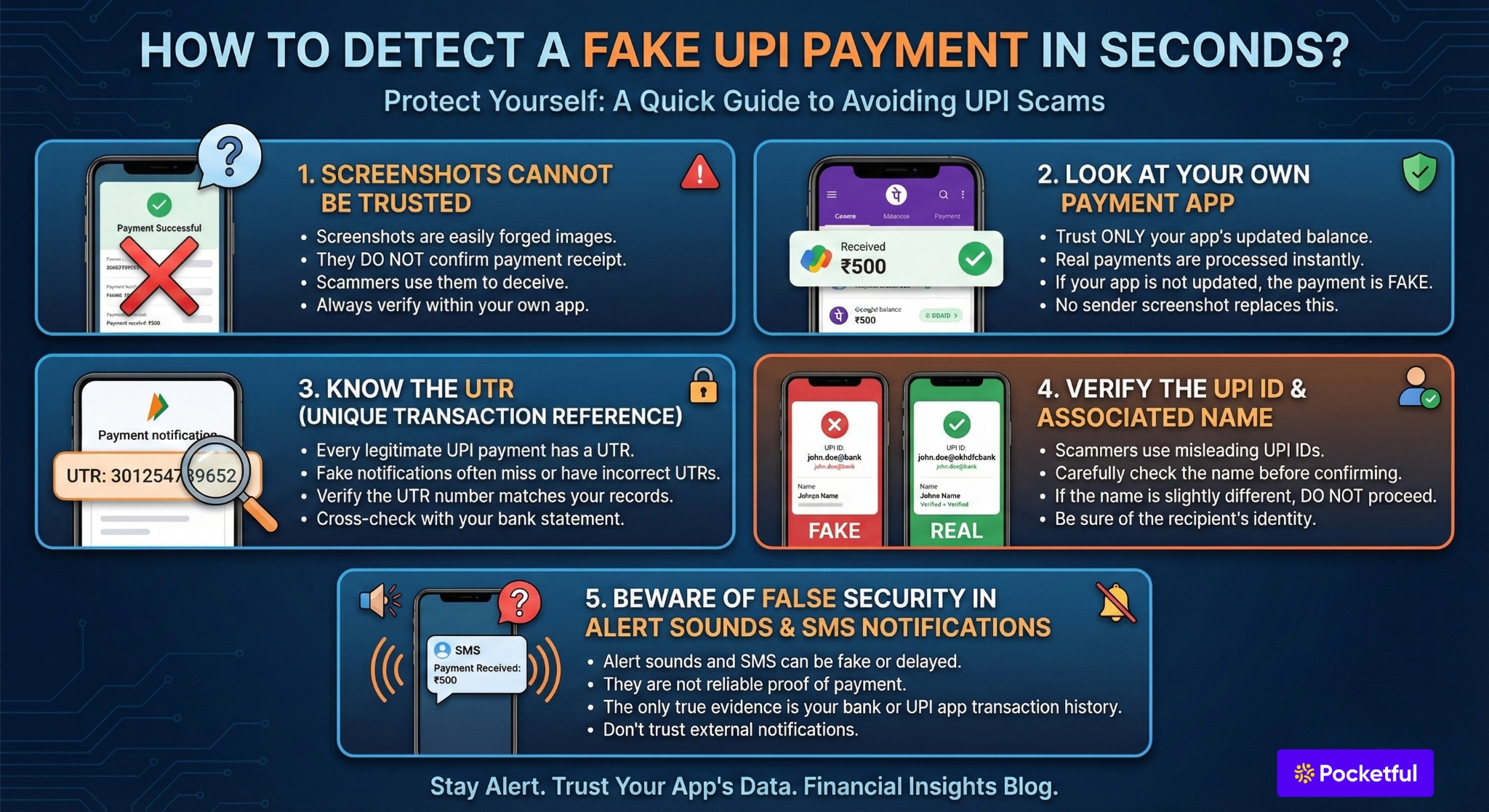
- Screenshots Cannot Be Trusted: Screenshots are just images that do not confirm payment. Scammers do this all the time, so if the payment doesn’t land in your account it never happened, and no amount of screenshot trickery changes that.
- Look at Your Own Payment App: Unless the payment is real, no creation of the sender’s imagination can substitute a screen of your app that shows an updated balance or new transaction. Payments are processed immediately, so if the app is not updated then no payment was sent.
- Know the UTR: UTR in banking references every transaction, and every legitimate UPI payment has a UTR. Fake payment notifications are missing numbers, or have UTRs that do not match the number you have.
- Verify the UPI ID and the Associated Name: Before you accept or confirm any payment, however, be sure of the name in the app. Scammers may use UPI IDs that look the same and may be misleading. If the name is even marginally different, don’t proceed and confirm.
- Beware of False Security in Alert Sounds and SMS Notifications: The announcements and SMS messages are not reliable. They may come through late and are even faked sometimes. The only evidence of a payment that you should believe is the one in your bank or UPI app. Everything else can’t be trusted.
Common Fake Payment Methods Used in Online Scams
Online payment scams often rely on visual tricks and pressure tactics rather than real money transfers. Scammers know most people glance at a screen instead of verifying the payment in their own app. That moment of trust is where fraud happens.
- Altered Payment Proofs: Instead of making a payment, fraudsters frequently show doctored transaction receipts. A real screenshot is modified to change numbers, dates, or reference IDs. These fake proofs are convincing, especially when sellers are busy and unable to inspect every detail closely.
- Fake Payment Apps and Spoofed Screens: Some scammers use prank or spoof payment apps that imitate real UPI platforms. These apps display a fake “payment successful” screen for services like PhonePe, Paytm, or Google Pay. The message appears genuine on the scammer’s phone, but no funds are actually transferred. Only checking your own bank or UPI app confirms the truth.
- Misleading UPI IDs and False Status Messages: Another common trick is sharing look-alike UPI IDs that appear legitimate but belong to a different account. In some cases, scammers show a fake transfer screen marked as “processing” or “pending,” claiming the money will reflect shortly.
- Fake Transaction Records: Using tampered apps, fraudsters may display entirely fabricated payment histories. These screens are meant to build trust by showing multiple past transactions. In reality, none of these entries exist in the official banking system.
- Pressure and Psychological Manipulation: Many scams succeed due to human behavior, not technology. Scammers act impatient, create urgency, and insist the payment has already been sent. In crowded or fast-moving environments, sellers may hand over goods without confirming the payment themselves.
How Do Fraudsters Use a Fake Payment Screenshot?
The most common scenario where fake screenshots are used by a fraudster is as follows:
- Offline Merchants: In this busy world, sometimes shopkeepers do not focus on double-checking whether the payments are received or not. Therefore, they are targeted by such fraudsters.
- Online Businesses: Various individuals are running their businesses on social media platforms like Instagram, Facebook, etc., and they provide their services and products based on the screenshot provided by the customer.
- Cash Transaction: In this scenario, the fraudster approaches an individual and asks them for cash. Once the victim gives them cash, they share the fake screenshot, indicating they have transferred the amount, causing loss to the victim.
- Fake Transfer: Under this, the fraudster calls an individual and tells them that they had mistakenly transferred the money, sends them the screenshot and asks them to refund the amount.
How to Avoid Fake Payment Screenshot Scam?
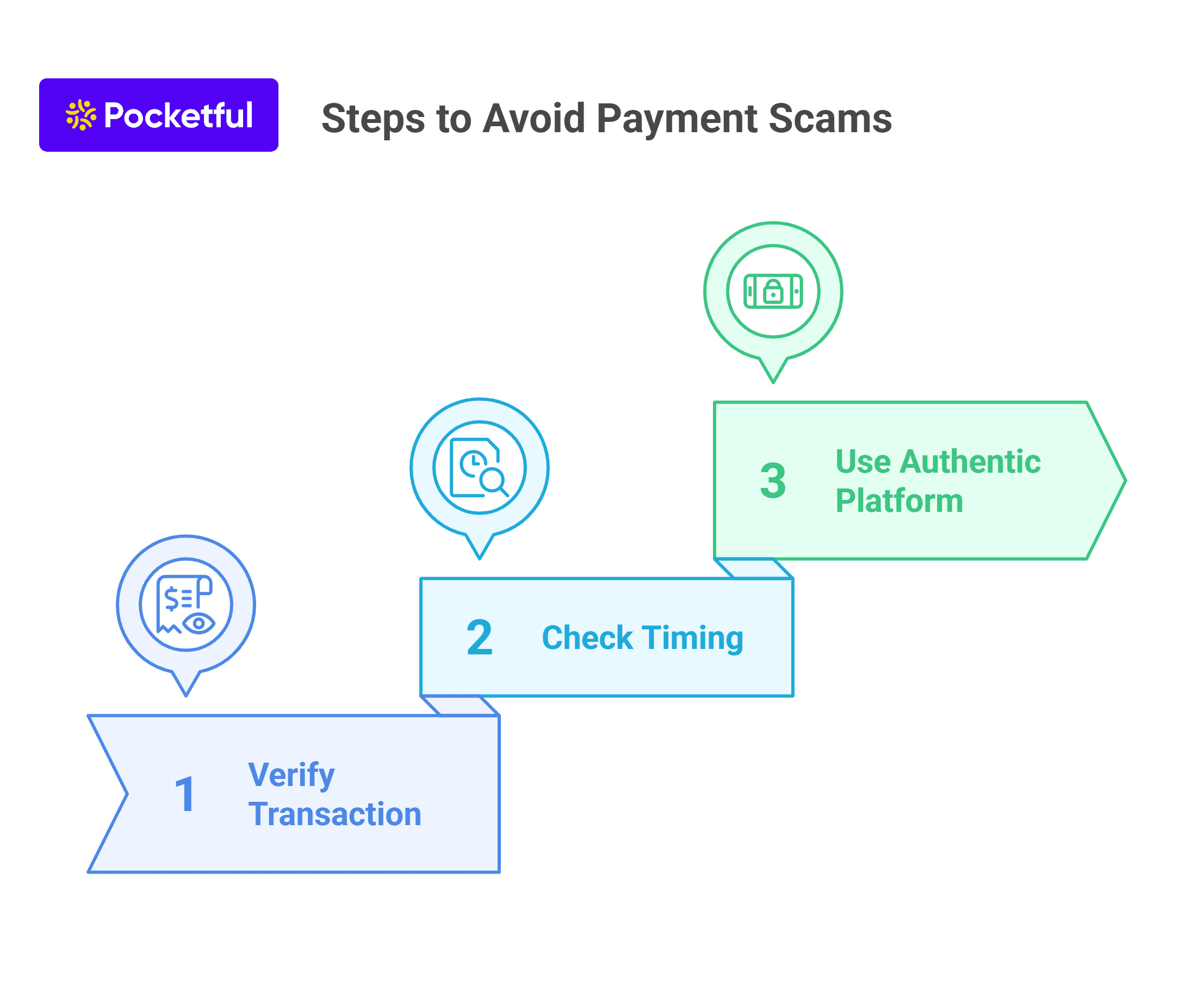
There are various methods through which one can avoid losses due to fake payment screenshots; a few of these methods are mentioned below:
- Verification of Transaction: You must check the transaction ID in your bank statement or UPI application to confirm the payment. As each UPI ID is different, if it does not match your bank statement or is not reflected in your bank statement, then the payment is not made by the concerned person.
- Timing: Every transaction ID has a unique time stamp mentioned on it. So, whenever you receive any payment screenshot, you must first check the time stamp as it is possible that it may not be recent as fraudsters generally make mistakes while fabricating fake screenshots.
- Authentic Platform: The platform you use for payments must be secure and authentic. It should have advanced security features to protect you against fake payment screenshots scams.
Real Examples of Fake UPI Payment Scams in India (and How to Avoid Them)
UPI payments have made money transfers fast and easy, but scammers have found new ways to trick people with fake payment proofs. Here are some real-life examples of fake UPI payment scams that happened across India – and the lessons you can learn from them.
1. Student Lost His Laptop and Semester Fee
A college student needed money to pay his semester fee, so he decided to sell his laptop online.
The buyer sent a real-looking payment screenshot and said the transfer was done. Believing it, the student handed over his laptop. Later, he checked his account and realized the money was never received. By then, the buyer had disappeared.
What Went Wrong: He trusted the screenshot instead of confirming the payment in his bank or UPI app.
How to Avoid It: Never rely on screenshots or messages. Always open your own app and check whether the amount has actually been credited before giving away your item.
2. Electronics Shop Lost an iPhone 16 to Fake Paytm Payment
In Sanand, Gujarat, two fraudsters used a fake Paytm app to show a fake transaction success screen.
They ordered an iPhone 16 from Moje Motabhai Electronic Showroom, sent a fake payment receipt on WhatsApp, and walked away with the phone. The store later found that no payment was made. Thankfully, police caught the scammers within hours — but not every victim is so lucky.
What Went Wrong: The staff believed a WhatsApp screenshot without verifying the transaction.
How to Avoid It: Before giving any product, log in to your business UPI or payment gateway account and confirm the payment is visible there.
3. Petrol Pump Staff Fooled for Urgent Cash
In Indore, Madhya Pradesh, two men visited several petrol pumps saying they urgently needed cash for a medical emergency. They offered to pay through PhonePe, showed fake payment screenshots, and took real cash from the staff. The scam continued until they were finally caught.
What Went Wrong: The staff fell for the emotional story and accepted a screenshot as proof.
How to Avoid It: No matter the situation, never hand over cash unless the payment reflects in your account. Always verify before you trust.
Conclusion
On a concluding note, in the digital world where online payments are the new normal, fraudsters use every possible technique to deceive people. Therefore, you need to be vigilant and use approved platforms for making and receiving payments. You can verify the screenshots’ transaction ID with your bank account or check the time stamp. You have to keep yourself updated about the methods used by such fraudsters; only then can you prevent yourself from any fake payments scams.
Frequently Asked Questions (FAQs)
01
How does a fraudster make a fake screenshot?
A fraudster generally uses photo editing tools to create a fake payment screenshot, which generally replicates the screenshots of the original payment.
02
How are Fake Payment Screenshots Made?
Fraudsters use editing or fake UPI apps to create screenshots that look real. Making or using them is illegal and can lead to jail.
03
How to Check if a Screenshot is Real or Fake?
Always check your own UPI or bank app. If the amount isn’t shown there — the payment didn’t happen. Fake screenshots often have wrong fonts or UTR numbers.
04
Why Are Fake Payment Scams Increasing?
Because editing apps are easy to use, and many sellers trust screenshots without checking their accounts.
05
How to Prevent Fake UPI Scams?
Confirm every payment in your app.Don’t rush – take 30 seconds to verify.Never trust screenshots or messages.
06
What to Do If You’re Scammed?
Report to your bank and cybercrime.gov.in immediately.Keep screenshots, chats, and other evidence ready for police.
07
Can You Trust UPI Soundboxes?
No. Soundboxes can be tricked by fake apps.Always check the transaction in your app before handing over goods.
08
How to verify the payment screenshots?
The payment screenshot can be verified only by checking the time stamp on it, and double-checking the same with your bank or payment application.
09
Is there any tool which can identify the payment screenshot?
No application or website can detect the authenticity of any payment screenshot.
010
Can I take any legal action against someone using a fake payment screenshot?
Yes, if you find someone who is using a fake screenshot, then you can inform the concerned authorities about the same as it is a punishable offence.
011
What is the most reliable and instant way to verify the UPI payments?
The most reliable source to verify the payment is to check your bank account or official payment application.
Disclaimer

The securities, funds, and strategies discussed in this blog are provided for informational purposes only. They do not represent endorsements or recommendations. Investors should conduct their own research and seek professional advice before making any investment decisions.
Article History


 Facebook
 Twitter
 Instagram
 LinkedIn
 Youtube

